Greengrass V2が、Dockerコンテナ内での実行に対応したようですので試してみました。
https://docs.aws.amazon.com/ja_jp/greengrass/v2/developerguide/run-greengrass-docker.html
Dockerイメージですが、V1はarmやarm64向けにも提供されていましたが、V2に関してはamd64向けのみの提供のようです。(そしてlatestタグがV2に向いているのでV1をlatestで使っている人はびっくりしていることでしょう)
https://hub.docker.com/r/amazon/aws-iot-greengrass
Raspberry Pi(Raspberry Pi OS 32bit)上で、試してみました。
マネジメントコンソールでの設定
いつもながら、やることがたくさんあります。
モノの登録
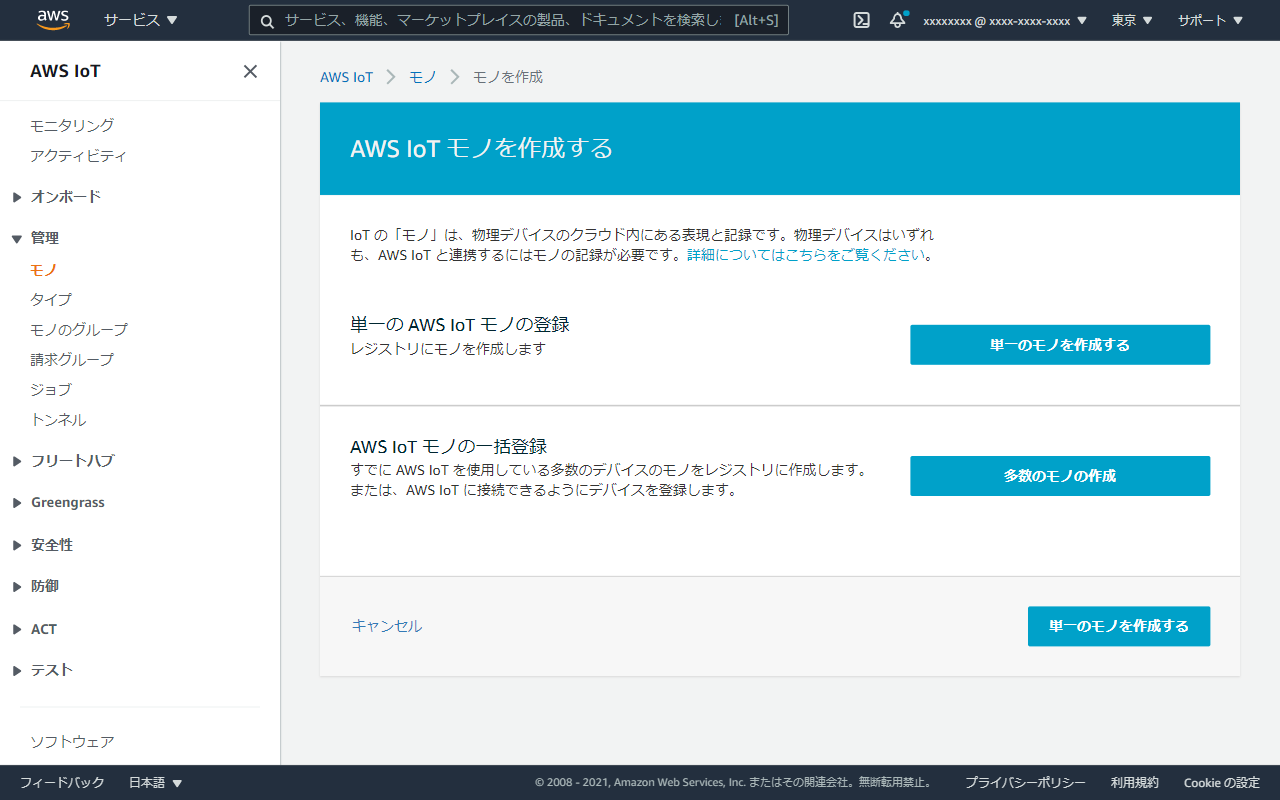
マネジメントコンソールでIoT Coreの画面を開きます。 「単一のAWS IoT モノの登録」を選択。
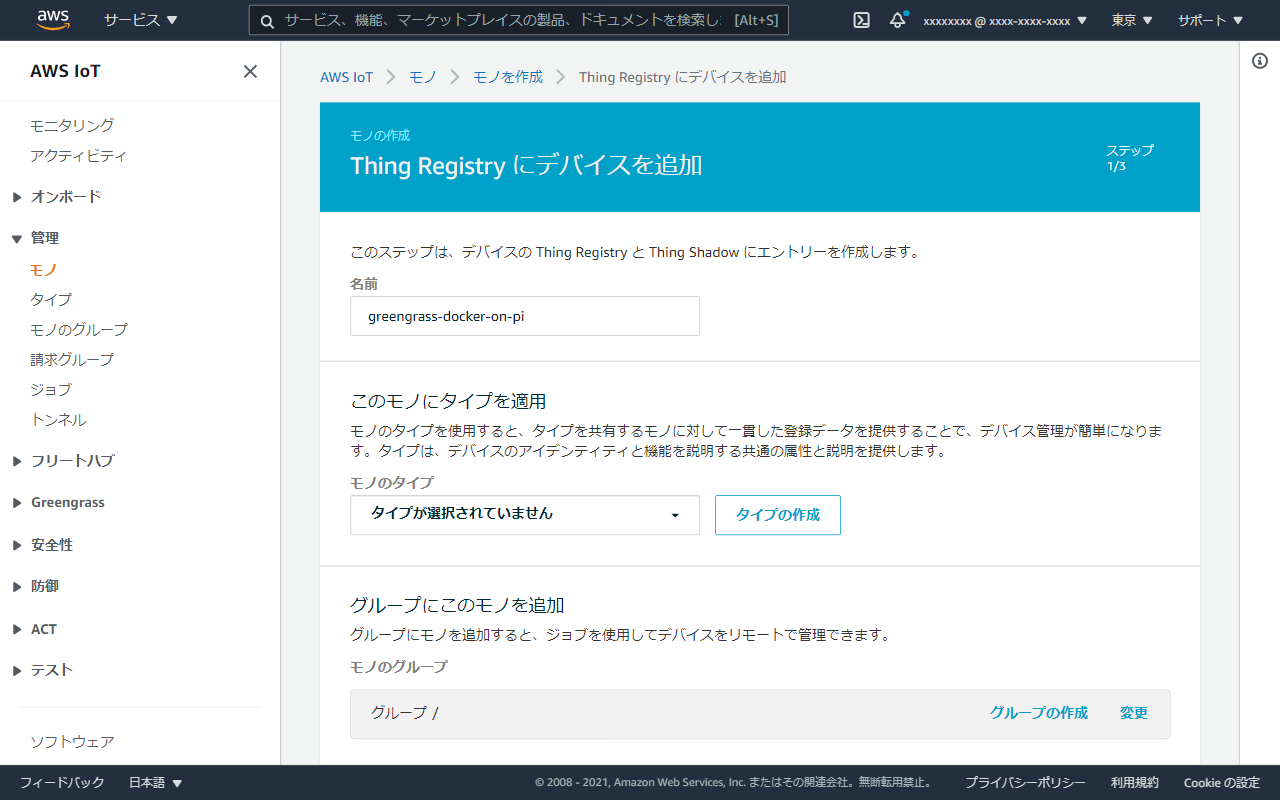
名前をつけます。
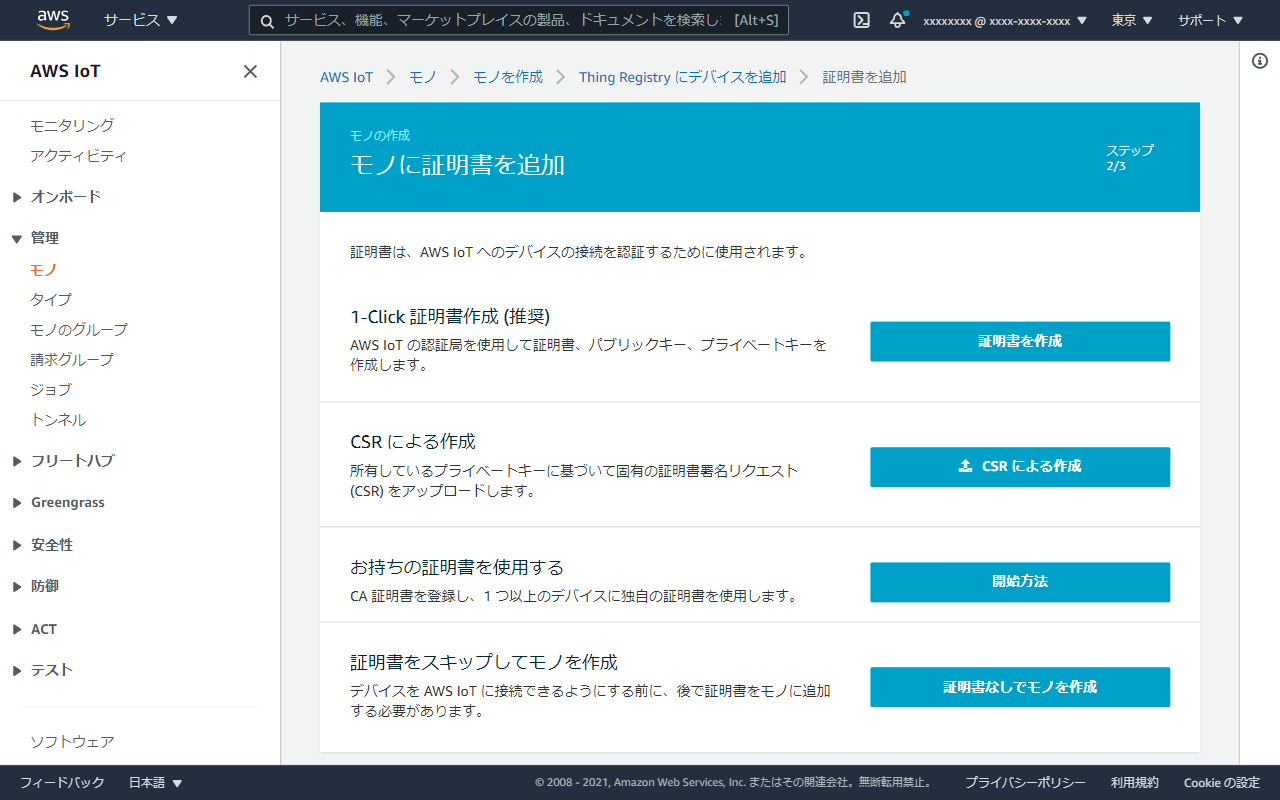
「1-Click 証明書作成」を選択。
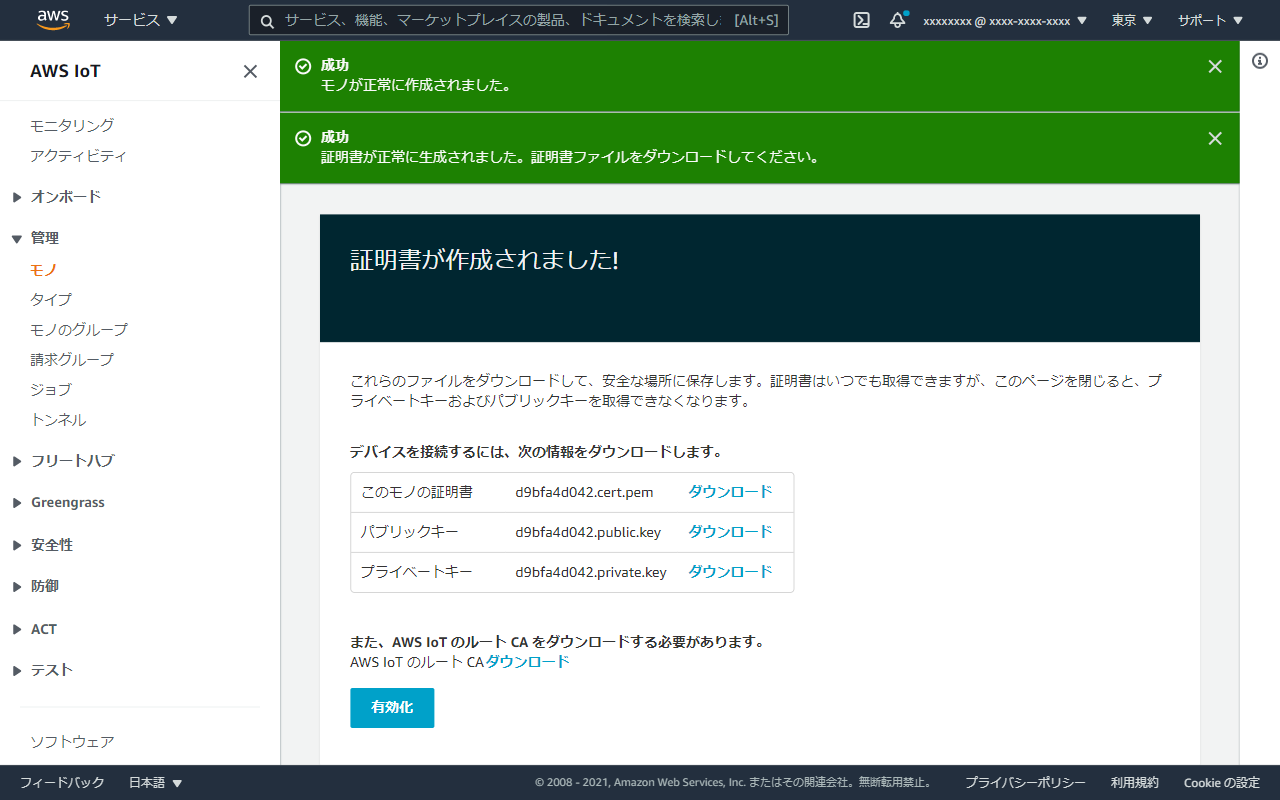
証明書が作成されますので、全てダウンロードしておきます。ルートCAも取得しましょう。 「有効化」ボタンのクリックも忘れずに。
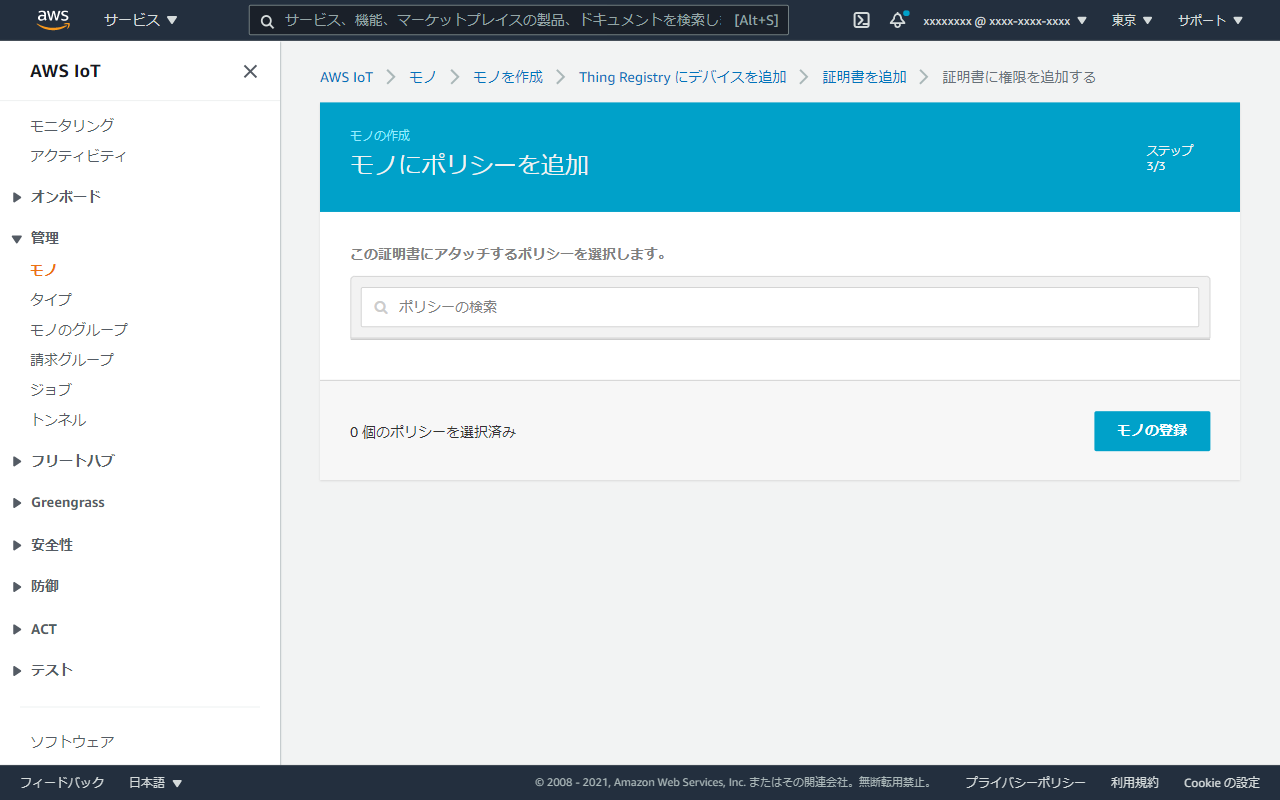
ポリシーは後で追加しますので、まずはモノを登録してしまいましょう。
IAMポリシー、ロールの作成
Greengrass V2は動作にIAMポリシーが必要なので作成します。 (画面キャプチャがなくてすいません)
{
    "Version": "2012-10-17",
    "Statement": [
        {
            "Effect": "Allow",
            "Action": [
                "iot:DescribeCertificate",
                "logs:CreateLogGroup",
                "logs:CreateLogStream",
                "logs:PutLogEvents",
                "logs:DescribeLogStreams",
                "iot:Connect",
                "iot:Publish",
                "iot:Subscribe",
                "iot:Receive",
                "s3:GetBucketLocation"
            ],
            "Resource": "*"
        }
    ]
}
IAMロールは、先程作成したGreengrassV2TokenExchangeRoleAccessポリシーをアタッチ。信頼関係はこんな感じです。
{
  "Version": "2012-10-17",
  "Statement": [
    {
      "Effect": "Allow",
      "Principal": {
        "Service": "credentials.iot.amazonaws.com"
      },
      "Action": "sts:AssumeRole"
    }
  ]
}
IoTロール、ポリシーの設定
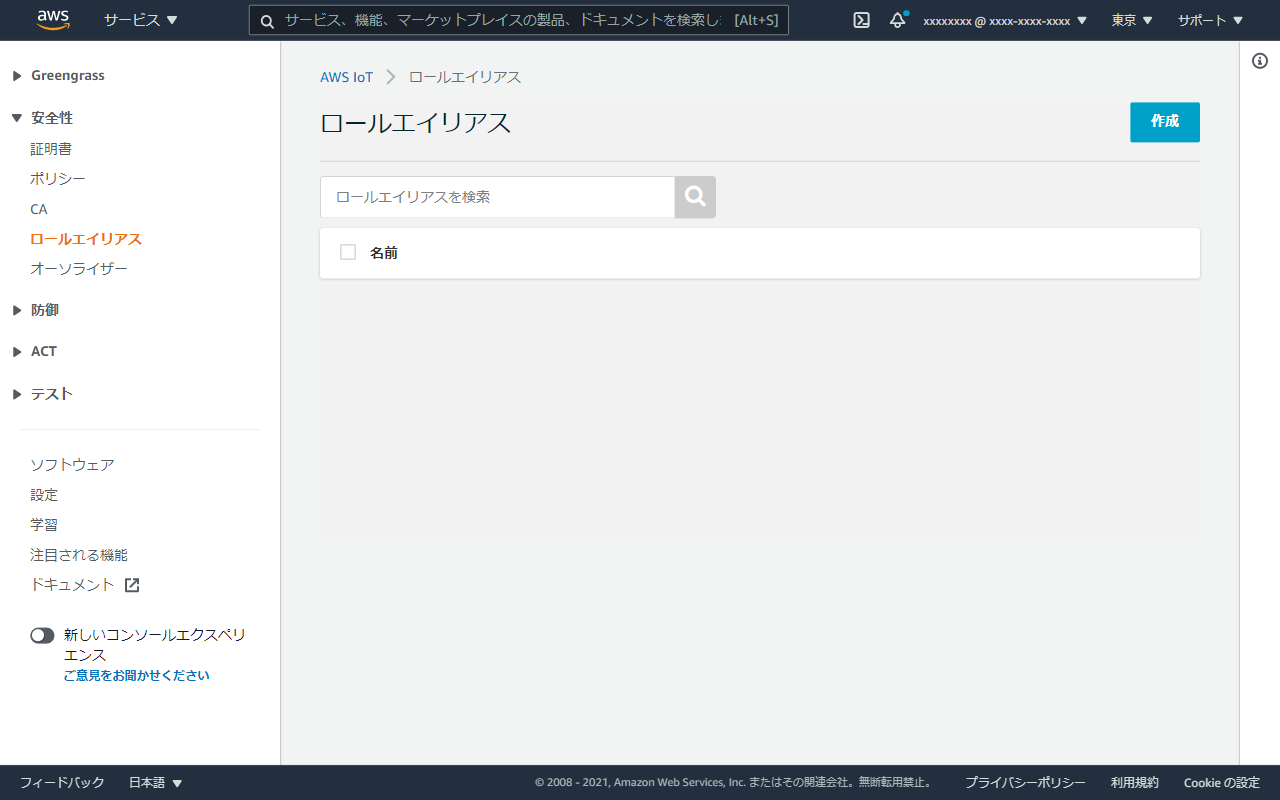
IoT Coreのマネジメントコンソールに戻ります。 「安全性」の中にある「ロールエイリアス」を選択。 作成ボタンを選択。
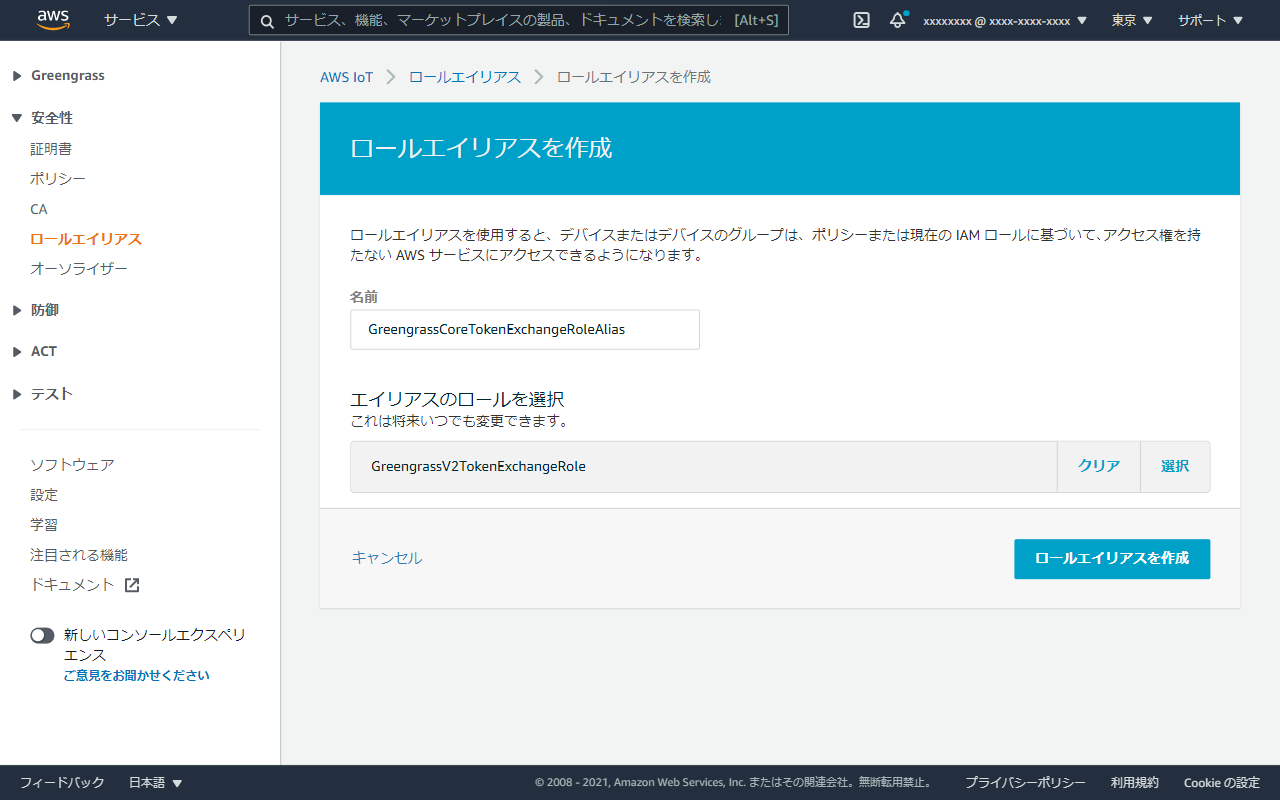
エイリアス先のロールとして、先程作成したIAMロールを選択。
次にIoTポリシーを作成。
「安全性」の中にある「ポリシー」を選択。
1つめはgreengrass-docker-on-pi-pilicy
{
  "Version": "2012-10-17",
  "Statement": [
    {
      "Effect": "Allow",
      "Action": [
        "iot:Publish",
        "iot:Subscribe",
        "iot:Receive",
        "iot:Connect",
        "greengrass:*"
      ],
      "Resource": [
        "*"
      ]
    }
  ]
}
アドバンストモードに切り替えて、JSONを貼り付けると楽ちんです。

もう一つはGreengrassCoreTokenExchangeRoleAliasPolicy 先程作ったロールエイリアスを指定します。
{
  "Version": "2012-10-17",
  "Statement": [
    {
      "Effect": "Allow",
      "Action": "iot:AssumeRoleWithCertificate",
      "Resource": "arn:aws:iot:ap-northeast-1:xxxxxxxxxxxx:rolealias/GreengrassCoreTokenExchangeRoleAlias"
    }
  ]
}
証明書にポリシーをアタッチ
管理-モノのメニューから対象のモノを選択 →セキュリティタブを選択 →証明書を選択 →アクション-ポリシーのアタッチを選択 →greengrass-docker-on-pi-pilicyポリシーとGreengrassCoreTokenExchangeRoleAliasPolicyポリシーを選択
エンドポイント情報の取得
二種類のエンドポイントが必要です。 マネジメントコンソール上からは取得できそうにないので、CloudShellで取得します。 あとで使うのでメモしておきましょう。
aws iot describe-endpoint --endpoint-type iot:Data-ATSaws iot describe-endpoint --endpoint-type iot:CredentialProviderDockerイメージのビルド
この章の作業はRaspberry Pi上で行います。
DockerfileはGitHubに公開されているのでこれを参考にしましょう。 https://github.com/aws-greengrass/aws-greengrass-docker
git clone -b v2.1.0 https://github.com/aws-greengrass/aws-greengrass-docker.git取得したファイルはこんな感じです。
$ tree
.
├── CHANGELOG.md
├── CODE_OF_CONDUCT.md
├── CONTRIBUTING.md
├── Dockerfile
├── LICENSE
├── README.md
├── docker-compose.yml
├── greengrass-2.1.0.zip.sha256
└── greengrass-entrypoint.sh
Dockerfileのベースイメージがamazonlinux:2なのですが、arm向けには提供されておらず、残念ながらこのままでは動きません。 今回はベースイメージをpython:3.8-busterにしてみました。 また、必要なパッケージをyumではなくapt-getでインストールするように変更しました。
# Copyright Amazon.com, Inc. or its affiliates. All Rights Reserved.
# SPDX-License-Identifier: MIT-0

+FROM python:3.8-buster

# Author
LABEL maintainer="AWS IoT Greengrass"

# Replace the args to lock to a specific version
ARG GREENGRASS_RELEASE_VERSION=2.1.0
ARG GREENGRASS_ZIP_FILE=greengrass-${GREENGRASS_RELEASE_VERSION}.zip
ARG GREENGRASS_RELEASE_URI=https://d2s8p88vqu9w66.cloudfront.net/releases/${GREENGRASS_ZIP_FILE}
ARG GREENGRASS_ZIP_SHA256=${GREENGRASS_ZIP_FILE}.sha256

# Set up Greengrass v2 execution parameters
# TINI_KILL_PROCESS_GROUP allows forwarding SIGTERM to all PIDs in the PID group so Greengrass can exit gracefully
ENV TINI_KILL_PROCESS_GROUP=1 \
    GGC_ROOT_PATH=/greengrass/v2 \
    PROVISION=false \
    AWS_REGION=us-east-1 \
    THING_NAME=default_thing_name \
    THING_GROUP_NAME=default_thing_group_name \
    TES_ROLE_NAME=default_tes_role_name \
    TES_ROLE_ALIAS_NAME=default_tes_role_alias_name \
    COMPONENT_DEFAULT_USER=default_component_user \
    DEPLOY_DEV_TOOLS=false \
    INIT_CONFIG=default_init_config
RUN env

# Entrypoint script to install and run Greengrass
COPY "greengrass-entrypoint.sh" /
COPY "${GREENGRASS_ZIP_SHA256}" /

# Install Greengrass v2 dependencies

RUN apt-get update -y && apt-get upgrade -y && apt-get install -y tar unzip wget sudo procps openjdk-11-jre-headless && \
    wget $GREENGRASS_RELEASE_URI && sha256sum -c ${GREENGRASS_ZIP_SHA256} && \
    rm -rf /var/lib/apt/lists/* && \
    chmod +x /greengrass-entrypoint.sh && \
    mkdir -p /opt/greengrassv2 $GGC_ROOT_PATH && unzip $GREENGRASS_ZIP_FILE -d /opt/greengrassv2 && rm $GREENGRASS_ZIP_FILE && rm $GREENGRASS_ZIP_SHA256

ENTRYPOINT ["/greengrass-entrypoint.sh"]
ビルドします。
docker build -t aws-iot-greengrass:2.1.0 .Docker Composeの準備
必要なファイルを準備します。 ディレクトリ構成はこんな感じになります。 証明書類は、このファイル名に変更の上、格納。
$ tree
.
├── .env
├── docker-compose.yml
├── greengrass-v2-certs
│   ├── AmazonRootCA1.pem
│   ├── device.pem.crt
│   ├── private.pem.key
│   └── public.pem.key
└── greengrass-v2-config
    └── config.yaml
GGC_ROOT_PATH=/greengrass/v2
AWS_REGION=ap-northeast-1
PROVISION=false
COMPONENT_DEFAULT_USER=ggc_user:ggc_group
DEPLOY_DEV_TOOLS=true
INIT_CONFIG=/tmp/config/config.yamlversion: '3.7'
services:
greengrass:
init: true
container_name: aws-iot-greengrass
image: aws-iot-greengrass:2.1.0
env_file:
- .env
volumes:
- ./greengrass-v2-config:/tmp/config/:ro
- ./greengrass-v2-certs:/tmp/certs:roconfig.yamlのエンドポイントは取得したものに変更。
---
system:
  certificateFilePath: "/tmp/certs/device.pem.crt"
  privateKeyPath: "/tmp/certs/private.pem.key"
  rootCaPath: "/tmp/certs/AmazonRootCA1.pem"
  rootpath: "/greengrass/v2"
  thingName: "greengrass-docker-on-pi"
services:
  aws.greengrass.Nucleus:
    componentType: "NUCLEUS"
    version: "2.1.0"
    configuration:
      awsRegion: "ap-northeast-1"
      iotRoleAlias: "GreengrassCoreTokenExchangeRoleAlias"
      iotDataEndpoint: "[iot:Data-ATSのエンドポイント]"
      iotCredEndpoint: "[iot:CredentialProviderのエンドポイント]"
起動
準備が整いました。長かった。
$ docker-compose up
Creating network "greengrass-on-docker_default" with the default driver
Creating aws-iot-greengrass ... done
Attaching to aws-iot-greengrass
aws-iot-greengrass | Installing Greengrass for the first time...
aws-iot-greengrass | Root user is already configured to execute commands as other users.
aws-iot-greengrass | Using specified init config file at /tmp/config/config.yaml
aws-iot-greengrass | Running Greengrass with the following options: -Droot=/greengrass/v2 -Dlog.store=FILE -Dlog.level= -jar /opt/greengrassv2/lib/Greengrass.jar --provision false --deploy-dev-tools true --aws-region ap-northeast-1 --start false --component-default-user ggc_user:ggc_group --init-config /tmp/config/config.yaml
aws-iot-greengrass | /greengrass-entrypoint.sh: 51: [: false: unexpected operator
aws-iot-greengrass | Creating user ggc_user
aws-iot-greengrass | ggc_user created
aws-iot-greengrass | Creating group ggc_group
aws-iot-greengrass | ggc_group created
aws-iot-greengrass | Added ggc_user to ggc_group
aws-iot-greengrass | Nucleus start set to false, exiting...
aws-iot-greengrass | Making loader script executable...
aws-iot-greengrass | Starting Greengrass...
aws-iot-greengrass | + set +m
aws-iot-greengrass | + dirname /greengrass/v2/alts/current/distro/bin/loader
aws-iot-greengrass | + PWD=/greengrass/v2/alts/current/distro/bin
aws-iot-greengrass | + sigterm_received=0
aws-iot-greengrass | + cd /greengrass/v2/alts/current/distro/bin/../../../..
aws-iot-greengrass | + pwd
aws-iot-greengrass | + GG_ROOT=/greengrass/v2
aws-iot-greengrass | + echo Greengrass root: /greengrass/v2
aws-iot-greengrass | + LAUNCH_DIR=/greengrass/v2/alts/current
aws-iot-greengrass | + CONFIG_FILE=
aws-iot-greengrass | + is_directory_link /greengrass/v2/alts/new
aws-iot-greengrass | + [ -L /greengrass/v2/alts/new ]
aws-iot-greengrass | + is_directory_link /greengrass/v2/alts/broken
aws-iot-greengrass | + [ -L /greengrass/v2/alts/broken ]
aws-iot-greengrass | Greengrass root: /greengrass/v2
aws-iot-greengrass | + is_directory_link /greengrass/v2/alts/old
aws-iot-greengrass | + [ -L /greengrass/v2/alts/old ]
aws-iot-greengrass | + j=1
aws-iot-greengrass | + [ 1 -le 3 ]
aws-iot-greengrass | + [ 0 -eq 0 ]
aws-iot-greengrass | + launch_kernel
aws-iot-greengrass | + is_directory_link /greengrass/v2/alts/current
aws-iot-greengrass | + [ -L /greengrass/v2/alts/current ]
aws-iot-greengrass | + [ -d /greengrass/v2/alts/current ]
aws-iot-greengrass | + [ -f /greengrass/v2/alts/current/launch.params ]
aws-iot-greengrass | + cat /greengrass/v2/alts/current/launch.params
aws-iot-greengrass | + JVM_OPTIONS=-Dlog.level= -Dlog.store=FILE
aws-iot-greengrass | + JVM_OPTIONS=-Dlog.level= -Dlog.store=FILE -Droot=/greengrass/v2
aws-iot-greengrass | + OPTIONS=--setup-system-service false
aws-iot-greengrass | + [ ! -z ]
aws-iot-greengrass | + echo JVM options: -Dlog.level= -Dlog.store=FILE -Droot=/greengrass/v2
aws-iot-greengrass | + echoJVM options: -Dlog.level= -Dlog.store=FILE -Droot=/greengrass/v2
aws-iot-greengrass |  Nucleus options: --setup-system-service falseNucleus options: --setup-system-service false
aws-iot-greengrass |
aws-iot-greengrass | + child_pid=
aws-iot-greengrass | + trap echo Received SIGTERM; sigterm_received=1; kill -TERM ${child_pid} TERM
aws-iot-greengrass | + child_pid=92
aws-iot-greengrass | + java -Dlog.store=FILE -Dlog.level= -Dlog.store=FILE -Droot=/greengrass/v2 -jar /greengrass/v2/alts/current/distro/lib/Greengrass.jar --setup-system-service false
aws-iot-greengrass | + wait 92
aws-iot-greengrass | Launching Nucleus...
aws-iot-greengrass | Launched Nucleus successfully.
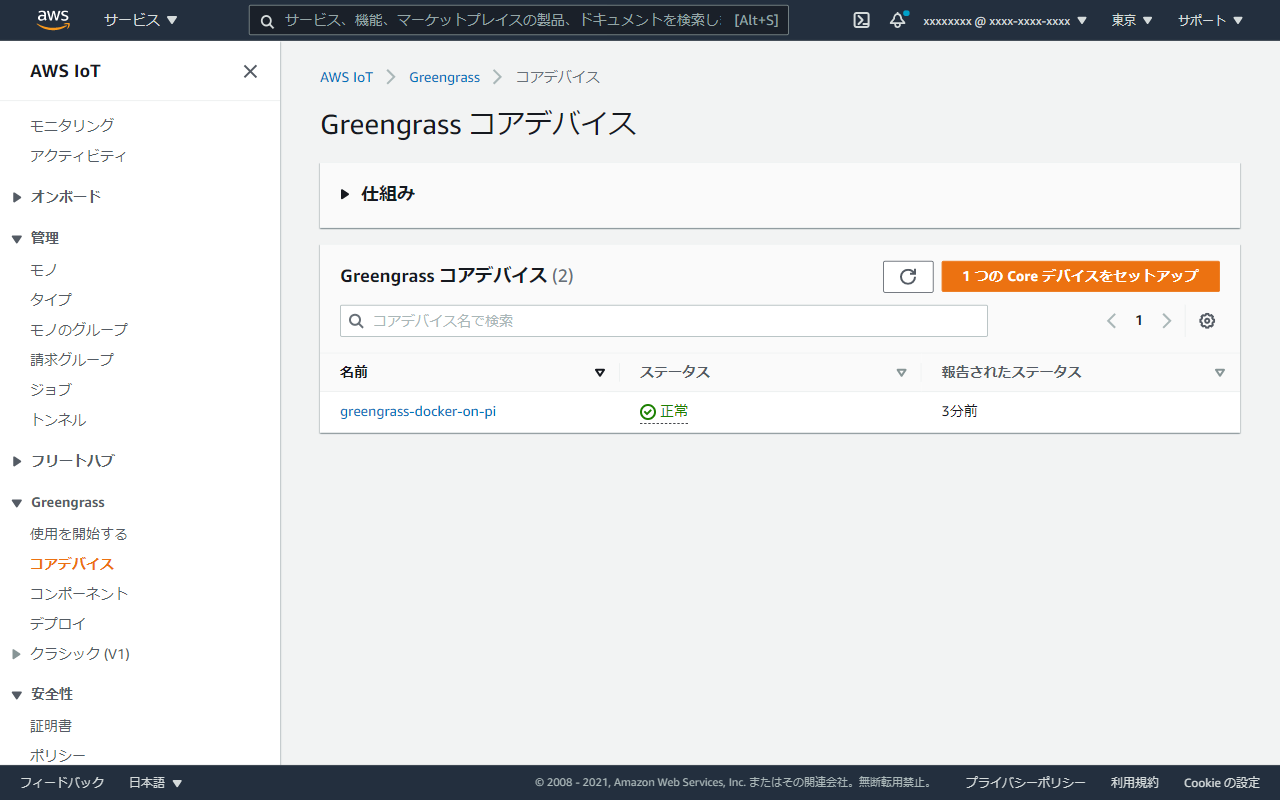
マネジメントコンソールからも確認できました。